
The San Diego Union-Tribune
MediaNews Group, Inc.News & Magazines
2.5120.00 Reviews
- Version
- 10.0.60
- Installs
- 10.00K
- Age Rating
- Everyone 10+
Screenshots


Our Review of The San Diego Union-Tribune
 Analysis by Appyee
I judge a local news app by a simple test: does it help me understand what is happening near home without turning a quick check-in into a chore? The San Diego Union-Tribune app has a clear advantage in its focus on San Diego reporting, and that makes it more useful to residents than a broad headlines feed when the story involves the region. It is a free news and magazines app from MediaNews Group, Inc., but free to install does not mean every article is necessarily free to read.
For me, the strongest reason to try it is the chance to make local coverage part of an ordinary routine: scan headlines over breakfast, save a longer report for later, and return when I have time to read carefully. Its appeal is narrower than that of an all-purpose news aggregator, and that is also its point. If local context matters to you, it can earn a place on your phone; if you mainly want a quick, varied selection of national and international headlines, another source may suit you better.
First Impressions
Hey there! So, I recently got my hands on The San Diego Union-Tribune app, and let me tell you, it's been quite a ride exploring everything it offers. If you're like me and love staying updated with news that matters without the hassle of flipping through a physical newspaper, then this app might just become your new best friend. Let’s dive into what makes this app tick and whether it might be right for you.
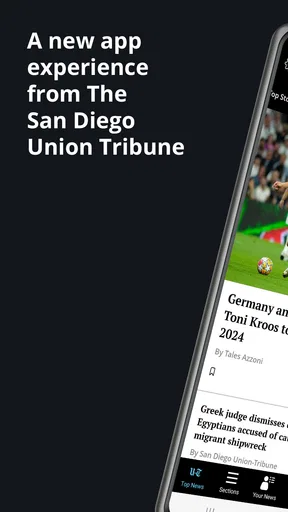
Firing up the app for the first time, I was greeted with a sleek and intuitive interface. The San Diego Union-Tribune has done a solid job in making sure that everything is easy to navigate. It’s not cluttered, and you can find your way around without feeling lost—a big plus in my book! The app is designed to get you straight to the news that matters, whether it’s local happenings, national headlines, or global updates.
The Content Experience
Once you start browsing, you’ll notice the app is packed with a variety of content. From breaking news to in-depth analysis, there’s something for everyone. I particularly enjoyed the local stories, which provide a deep dive into what’s happening in San Diego. The articles are well-written and provide lots of details, which keeps you informed and engaged.
That local emphasis is most valuable when a story affects more than one part of daily life. A regional report can help connect a city decision, a neighborhood concern, or a wider event to the place where you actually live. I would use the app not just to check whether something happened, but to follow a subject over several days and build a clearer picture from its coverage. That is a different habit from skimming a single headline in a general-purpose feed, where local follow-up can be easy to miss among unrelated stories.
The app also offers multimedia content, including videos and photo galleries, which is a nice touch. It makes the stories more vivid and engaging. Plus, if you're on the go, you can even listen to some of the articles—perfect for when you’re driving or just too busy to read.
Listening is a useful alternative when your hands and eyes are occupied, but I would treat it as a convenience rather than a reason to use the app while driving in a distracting way. A practical routine is to choose an article before setting off, then listen only if your situation allows it safely. Photos and video can add useful context to a report, though they also make the experience less suited to every connection or every moment; for a quick check on a weak signal, plain text is often the more sensible choice.
Customization and Features
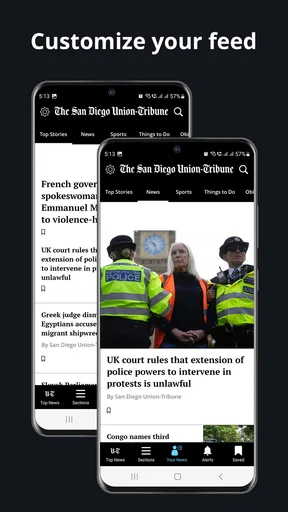
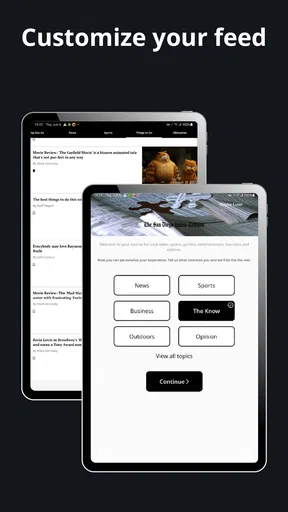
One of the things that stood out to me was how customizable the app is. You can tailor your news feed to focus on the topics that interest you most. Whether you're into politics, sports, or culture, you can set your preferences and let the app do the rest. It feels like having a personal news assistant at your fingertips.
I find topic choices most useful when they guide attention without becoming a filter that hides everything else. If I were setting up a feed, I would keep the subjects I follow closely in view while still checking the broader local mix now and then. That small habit matters because a regional issue may cross the boundaries between politics, community life, sports, and culture. Personalization can make the app feel more relevant, but it works best as a starting point rather than a substitute for browsing beyond your usual interests.
The app also includes a handy feature where you can save articles for later. This was particularly useful for me during busy days when I stumbled upon an interesting article but didn’t have the time to read it right away. Just save it and come back to it when you have a moment.
Saving also gives the app a practical role beyond the morning news check. I might save a detailed local piece during a short break, then read it after work when I can give it proper attention. To get more from that habit, I would treat saved stories as a short reading queue and revisit it regularly instead of letting it become an unexamined pile. It is a modest workflow, but it helps separate “worth reading” from “read right now” without relying on memory or searching for the article again.
Performance and Usability
Now, let’s talk about performance. The app runs smoothly, with quick load times and minimal lag, which is crucial for a seamless user experience. It didn’t crash or freeze on me, which is always a relief. The offline mode is another standout feature, allowing you to download articles when you have internet access and read them later even without a connection.
Offline reading is especially handy for a commute, travel, or a place where reception comes and goes. I would prepare by downloading the pieces I already know I want to read while connected, rather than assuming every story will be available later without a signal. That distinction makes the feature more dependable in practice: it is a way to carry selected reading with you, not a replacement for a live connection when you want to browse fresh coverage. It also makes the app easier to fit into small gaps in the day, when connectivity may be unreliable.
However, one thing to keep in mind is that full access to all features might require a subscription. While the free version gives you plenty to start with, some premium content is behind a paywall. If you’re a news junkie, it might be worth considering the subscription for the full experience.
I would check how often I reach a subscription prompt before deciding whether paid access makes sense for me. Someone who reads local coverage most days and values in-depth reporting may find that access is worth weighing; a casual visitor who checks headlines occasionally may prefer to stay with what is available without subscribing. The app is free to download, and its in-app purchase options range from $4.99 to $199.99 per item, so I would review the terms shown in the app carefully before confirming any purchase. The range is broad enough that I would not assume every option is the same kind of plan or offers the same access.
Who Will Get the Most From It
I would recommend this app first to people who live in San Diego, have family or work ties there, or simply want a steadier view of local events than a national news feed usually provides. It can also suit former residents who want to keep up with the region from elsewhere. For those readers, the value is not just having stories on a phone; it is having a familiar local source available alongside the broader coverage they already use.
It is less compelling if you want one app to deliver a carefully balanced stream of news from many cities or countries. A general aggregator is usually better for comparing a wide range of publishers in one place, while a broadcaster’s app may be a better fit if you prefer video-led updates. I see the Union-Tribune app as a complement to those options, not an automatic replacement: it is strongest when the question is “what is happening in San Diego?” rather than “what are the biggest stories everywhere?”
For an everyday example, imagine seeing a local headline while waiting for an appointment. I would open the story, save it if the first few paragraphs suggest there is more to understand, and read the full piece later on a reliable connection. If the subject becomes important to me, I would adjust my topic interests and check the surrounding local coverage instead of relying on a single alert or article. That sequence turns quick browsing into a manageable way to follow a developing issue without demanding a long reading session on the spot.
Audience, Cost, and Expectations
The app is rated for Everyone 10+, which gives families a useful age label to consider, but I would still look at individual stories with younger readers. News can cover serious public events, and a broad age rating does not mean every article will suit every child. The app has been available since September 14, 2016, and its current version is 10.0.52; it requires Android 8.0 or later. Those details matter most if you are checking compatibility on an older phone before installing.
Its audience feedback is mixed: it has a 2.6 average from 217 ratings, alongside 118 written reviews and 10K+ installs. I would not treat those figures as a verdict on the reporting itself, but they are a reason to approach the app with realistic expectations and judge the reading experience on your own device. In particular, pay attention to whether the navigation, access to articles, and any subscription prompts fit your habits. A local publication can be editorially valuable while its app still feels less convenient to an individual reader.
Before making it a daily source, I would try a few different tasks rather than only opening the top story: browse a local subject I care about, save a longer article, and see whether I can return to it comfortably. I would also check whether the available free reading is enough for my routine before considering a purchase. This is a useful way to answer the practical question of whether it belongs on your home screen without assuming that every reader needs the same level of access.
Final Thoughts
Overall, The San Diego Union-Tribune app is a fantastic tool for anyone wanting to stay informed with reliable news coverage. It’s user-friendly, content-rich, and offers a personalized experience that fits into your daily routine. Whether you’re a local San Diegan or just someone interested in Californian news, this app is definitely worth checking out.
My recommendation is a qualified one: give it a try if San Diego reporting is a regular part of your life, and use its saved stories, topic choices, and offline reading to make that coverage fit around your day. If your priority is a broad, multi-source overview or you do not want to encounter paid content, a general news reader may be a better main app. For readers who want a local source on hand and are comfortable deciding for themselves whether the paid access is worthwhile, this is a sensible option to test.
So, if you’re ready to give it a try, you can download it from the App Store or Google Play. Happy reading!
Verdict
Strengths of The San Diego Union-Tribune
- Comprehensive local news coverage.
- User-friendly interface design.
- Regular app updates for improvements.
- Offline reading mode available.
- Customizable notifications settings.
Limitations of The San Diego Union-Tribune
- Occasional ads can be intrusive.
- Limited international news coverage.
- Subscription required for full access.
- App size is relatively large.
- Some articles load slowly.
Other Releases by MediaNews Group, Inc.
View All
Boston Herald
News & Magazines2.4

The Mercury News
News & Magazines2.1

Daily Freeman for Android
News & Magazines2.1

LA Daily News
News & Magazines2.6
Similar Picks in This Category
View All
Google News - Daily Headlines
Google LLC4.0

X
X Corp.4.8

Flipboard:Your Social Magazine
Flipboard3.4

Opera News: breaking & local
Opera4.5

Hindi News by Dainik Bhaskar
Dainik Bhaskar Group4.0

Way2News Daily News App
Way2News ( Formerly Way2SMS )4.6
Frequently Asked Questions
What features does The San Diego Union-Tribune app offer?
The San Diego Union-Tribune app provides users with access to the latest news, breaking headlines, and in-depth articles covering local, national, and international topics. It also offers video content, personalized notifications, and an easy-to-navigate interface to ensure you stay updated with all the important stories.
Is The San Diego Union-Tribune app free to use?
The app is free to download, and users can access limited content without a subscription. However, for full access to all articles, features, and premium content, a subscription is required. The app also offers a trial period for new users to explore its features before committing.
Can I customize news notifications in The San Diego Union-Tribune app?
Yes, the app allows you to customize notifications based on your interests. You can choose to receive alerts for breaking news, specific categories, or daily summaries. This feature ensures you are only notified about the topics that matter most to you, enhancing your reading experience.
Is The San Diego Union-Tribune app available on both Android and iOS?
Yes, The San Diego Union-Tribune app is available for both Android and iOS devices. You can download it from the Google Play Store for Android devices or the Apple App Store for iOS devices. Regular updates are provided to ensure optimal performance and new features.
Does The San Diego Union-Tribune app require an internet connection?
An internet connection is needed to access the latest news and updates. However, the app offers offline reading capabilities, allowing you to download articles and read them later without an internet connection. This feature is particularly useful for users on the go or in areas with limited connectivity.
